🍬 CandyVt
In-memory virtual terminal emulator

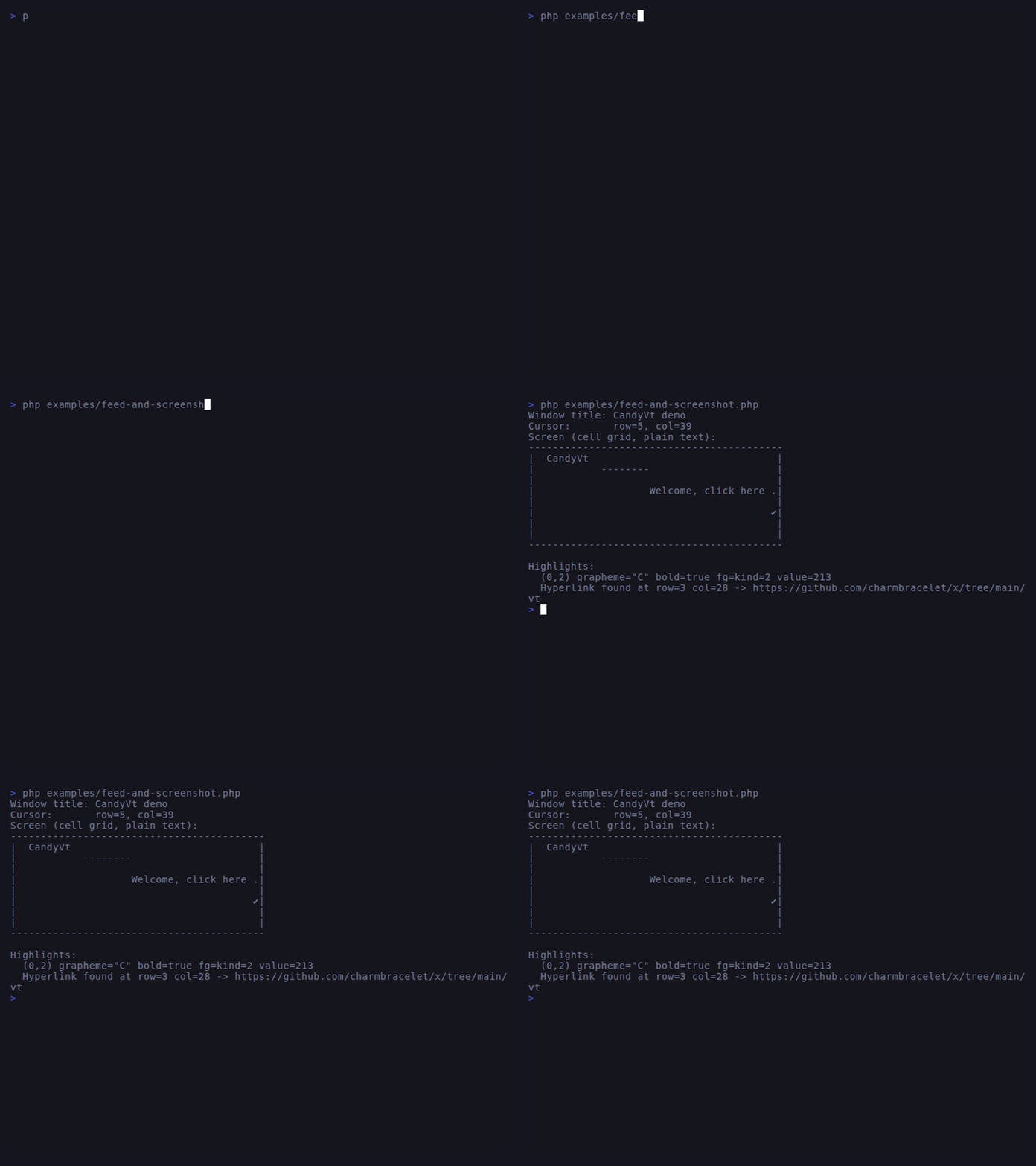
Feed an ANSI byte stream in, query a cell grid + cursor + mode state out — without ever spawning a real terminal. Built on a Paul-Williams VT500 state machine that mirrors charmbracelet/x/ansi/parser.
Install
composer require sugarcraft/candy-vtQuickstart
use SugarCraft\Vt\Terminal\Terminal;

$term = Terminal::create(cols: 80, rows: 24);
$term->feed("\x1b[1;31mHello\x1b[0m world");

$screen = $term->screen();
$screen->cell(0, 0)->grapheme;       // 'H'
$screen->cell(0, 0)->sgr->bold;      // true
$screen->cell(0, 0)->foreground();   // 16-color red

$term->feed("\x1b]2;Demo\x07");
$term->windowTitle();                 // 'Demo'

$term->feed("\x1b[?1049h");
$term->mode()->altScreen;             // true
What's in the box
VT500 parser15-state Paul-Williams state machine. Direct port of charmbracelet/x/ansi/parser. Handles partial input across
feed() calls and CSI subparameters (: separator per VT500 spec).Full SGR16-color, bright, 256-color, and truecolor for fg + bg; bold / italic / underline / strikethrough / blink / reverse / dim / hidden toggles; SGR underline styles 4:0–4:5 (single / double / curly / dotted / dashed); BCE (CSI ?12 h) — erase fills inherit current background color.
Cursor + erase + scrollCUU/CUD/CUF/CUB/CUP/CHA/VPA, DECSC/DECRC, EL/ED/ECH/DCH/ICH, SU/SD, IND/RI/NEL.
DEC modes1049 alt screen + cursor save, 25 cursor visibility, 1000/1002/1003/1006 mouse, 2004 bracketed paste, 2026 synchronized output (batch queue + flush on disable), 7 auto-wrap (DECAWM).
OSC dispatch0/1/2 window title, 4 palette set, 8 hyperlinks (per-cell attribution), 52 clipboard write/read events.
Width-aware + combiningCJK + most emoji take 2 cells with a continuation marker. Zero-width combining marks (U+0300–U+036F) attach to the preceding cell via
Cell::$combining so composed graphemes render correctly in a single column.Scrollback bufferRing buffer (default 1000 rows) captures scrolled-off content. Access via
Screen::scrollback(). Configure size with Terminal::withScrollbackSize(). Erased by CSI 3 J.Use it for
- Snapshot tests — drive any TUI's
view()through CandyVt and assert on cell-grid state instead of raw byte strings. - Recording & replay — capture
feed()input and replay deterministically. - Headless SSH sessions — pair with
candy-wishto run TUIs without a real PTY.
Source & demos
- Source on GitHub
- Full README
- Runnable examples
- Port of charmbracelet/x/vt (Go upstream)
API
| Class | Method | Description |
|---|---|---|
| Terminal | create(cols, rows) | Create a virtual terminal |
| Terminal | feed(bytes) | Feed ANSI bytes to terminal |
| Terminal | screen() | Get current cell grid |
| Terminal | cursor() | Get cursor position |
| Terminal | mode() | Get terminal mode state (includes autoWrap) |
| Terminal | windowTitle() | Get window title from OSC |
| Terminal | withScrollbackSize(n) | New terminal with scrollback buffer size N |
| Screen | cell(col, row) | Get cell at position |
| Screen | scrollback() | Get scrollback buffer (ring buffer of scrolled-off rows) |
| Cell | grapheme, sgr, combining, foreground(), background() | Cell content, style, and combining marks |
| Cell | withCombining(string) | New cell with additional combining marks appended |
| Mode | autoWrap, syncUpdate, withAutoWrap(bool) | DECAWM auto-wrap and synchronized-output (DEC 2026) state |
| Sgr | underlineStyle, withUnderlineStyle(UnderlineStyle) | SGR underline style (None/Single/Double/Curly/Dotted/Dashed) |
| UnderlineStyle | None / Single / Double / Curly / Dotted / Dashed | Enum — CSI 4:N map (4:0–4:5) |